Balance, plans and payments
Check plan and currency, use current top-up methods, calculator and invoices, read operation history and reactivate devices without relying on old prices.

The Finances section shows the account currency and balance, currently available top-up methods, a payment calculator and operation history. Use only the current screen for prices and payment methods: they depend on the hosting site, country, currency and connected providers.
Before topping up
Check the login, currency beside the balance and entered amount. Adding funds does not always reactivate a disabled device automatically; activation can be a separate confirmed action.
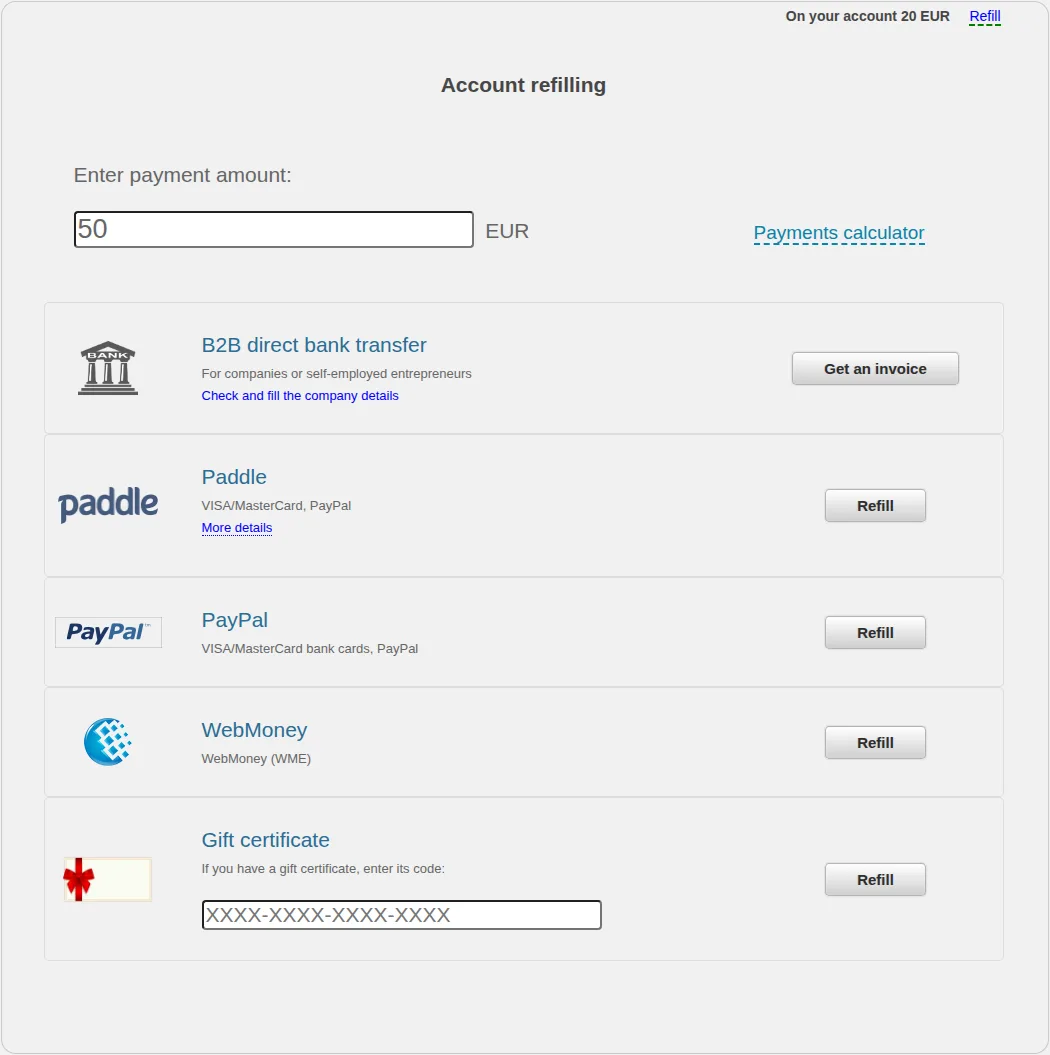
The example euro account displays a business invoice, Paddle, PayPal, WebMoney and a gift certificate. Another account can have a different list; use only the buttons shown on your screen now.
Do not copy payment details or prices from a manual screenshot. Before proceeding, verify the amount, currency and payment-method name again.
Business invoice
If a business or sole-trader invoice block is displayed, first verify the organisation details and then generate the invoice. It is intended for the named payer and amount; do not alter the payment reference arbitrarily.
A bank transfer can take time to arrive. Keep the transfer confirmation and invoice number until the operation appears in history.
Payment calculator
The calculator estimates an amount from the tracker count, period and selected plan.
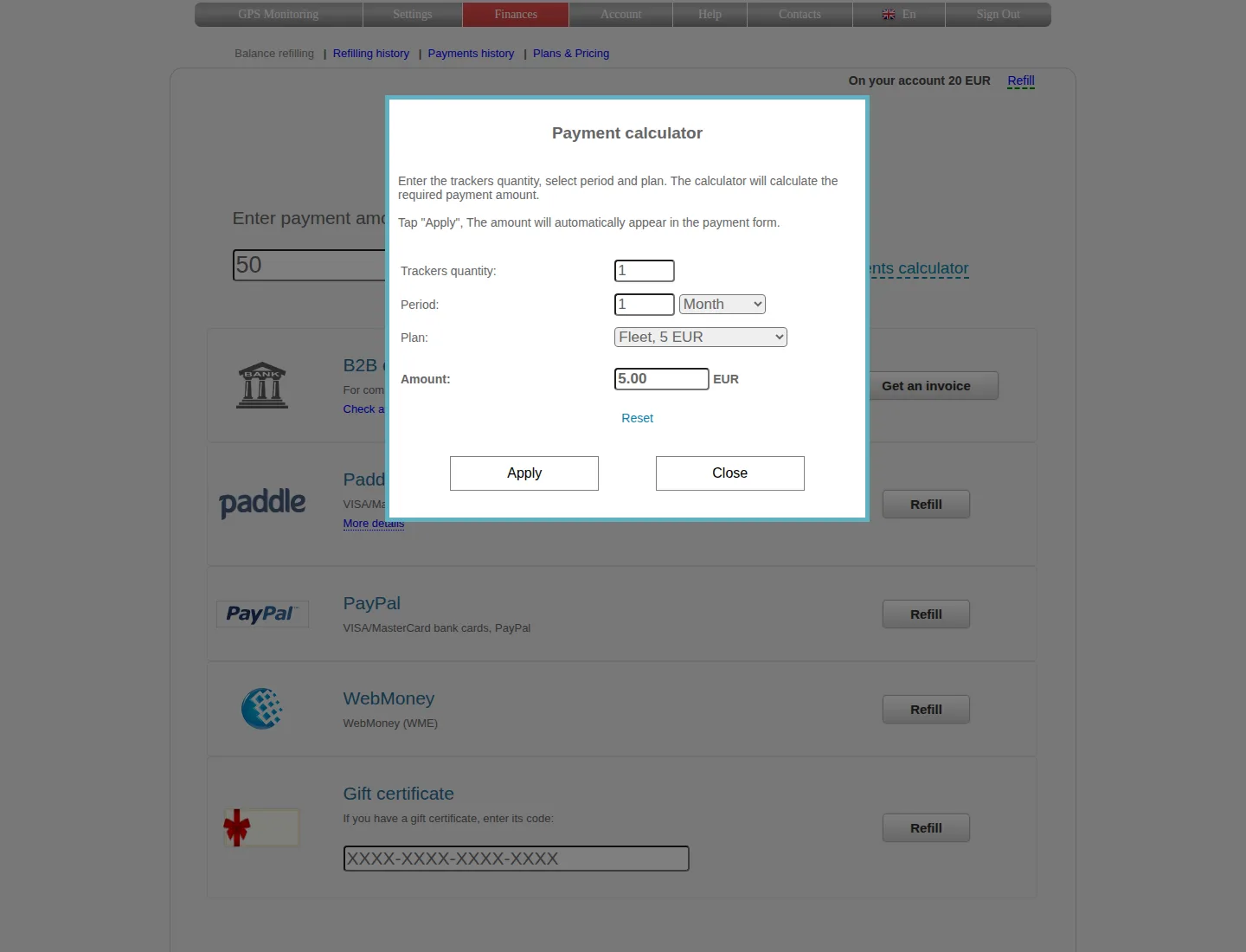
Apply transfers the calculated amount to the top-up form. The calculation itself neither charges a payment nor activates devices.
Before payment, compare the estimate with the actual plan for each device. Do not rely on an old price in an article: the amount displayed by your account before confirmation is authoritative.
Top-up and expense history
The Top-up history tab displays the date, amount, payment system and note. A full report can be requested for the current or previous month.
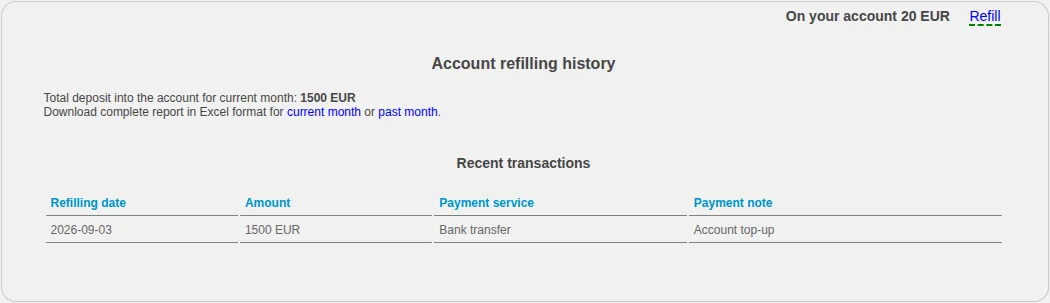
A row confirms that the balance operation was recorded. A successful provider payment and a recorded account operation are related but separate stages.
Use Expense history to review service charges and other account operations. If the resulting balance is unclear, compare top-ups and expenses for the same period.
If a top-up is missing
- Do not immediately repeat the payment.
- Check the final status at the payment provider.
- Refresh top-up history and verify that the correct account is open.
- Compare the amount and currency.
- When contacting support, provide the date, amount, currency, method and operation identifier—never a card number, CVV, password or confirmation code.
Handle refunds, disputes or corrections through the hosting-site support and relevant payment provider. Do not delete a device or create a duplicate payment as a test.
Related articles
GPS Operator User Guide: Contents
Connect a tracker, use the live map and trip history, create reports, configure notifications and manage your GPS Operator account.
Getting started
Choose the right first steps for an account with a tracker already connected or for a new tracker you need to connect yourself.
Troubleshooting
Check sign-in, devices, coordinates, time, history, reports, notifications and payments without deleting data, resetting hardware or exposing secrets.
Device settings and management
Rename devices, choose icons and correct displayed time, understand service restrictions and distinguish disabling from deleting a tracker.
Comments
Sign in to comment.
No comments yet.